Identity in Unity Catalog — Users, Groups, and Service Principals
In this lecture, let's understand how identity works in Unity Catalog — the three types of principals it recognizes, and how administrative roles are structured across your Databricks account.
Three Principals, Two Roles
Unity Catalog works with three types of identities, each mapping to a distinct role on a production data platform:
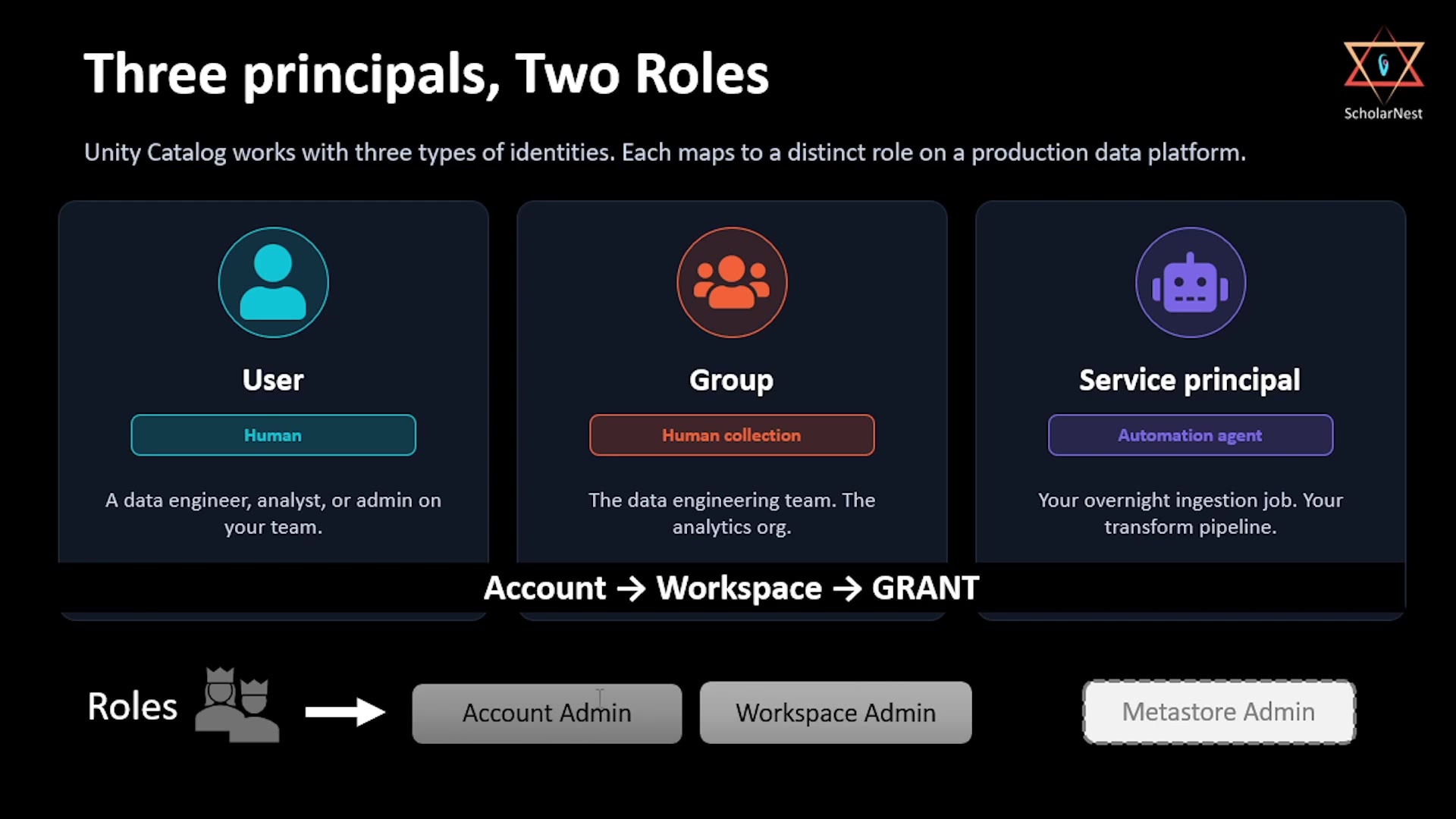 Three principals, two roles
- User — a human. A data engineer, analyst, or admin on your team.
- Group — a human collection. For example, "the data engineering team" or "the analytics org." Groups let you manage permissions for many people at once, rather than one by one.
- Service principal — an automation agent, not a human. Think of your overnight ingestion job, or your transform pipeline — a non-human identity used by automated processes to authenticate and act within Databricks.
All three principal types flow through the same basic pattern: Account → Workspace → GRANT. Identities are created at the account level, made available to specific workspaces, and then granted specific permissions within those workspaces (or on specific catalogs, schemas, and tables).
Two Roles Worth Knowing
- Account Admin — manages things at the whole-account level.
- Workspace Admin — manages things within a specific workspace.
(There's also an optional third role, Metastore Admin, which we'll get to below.)
Why Service Principals Matter
It's worth pausing on service principals specifically, since they're easy to overlook if you're coming from a background where "users" are the only kind of identity you think about.
In any real data platform, a huge amount of activity isn't driven by a human clicking around — it's driven by automated jobs: scheduled pipelines, streaming ingestion processes, CI/CD deployment scripts. These processes still need an identity to authenticate as, and still need permissions granted to them, just like a human user would. That's exactly what a service principal is for — giving your automation its own accountable identity, rather than (for example) having every pipeline run under someone's personal user credentials, which is both a security risk and an operational headache (what happens when that person leaves the company?).
Administrative Roles and Their Responsibilities
Let's look at how administrative responsibility is actually divided up across the platform:
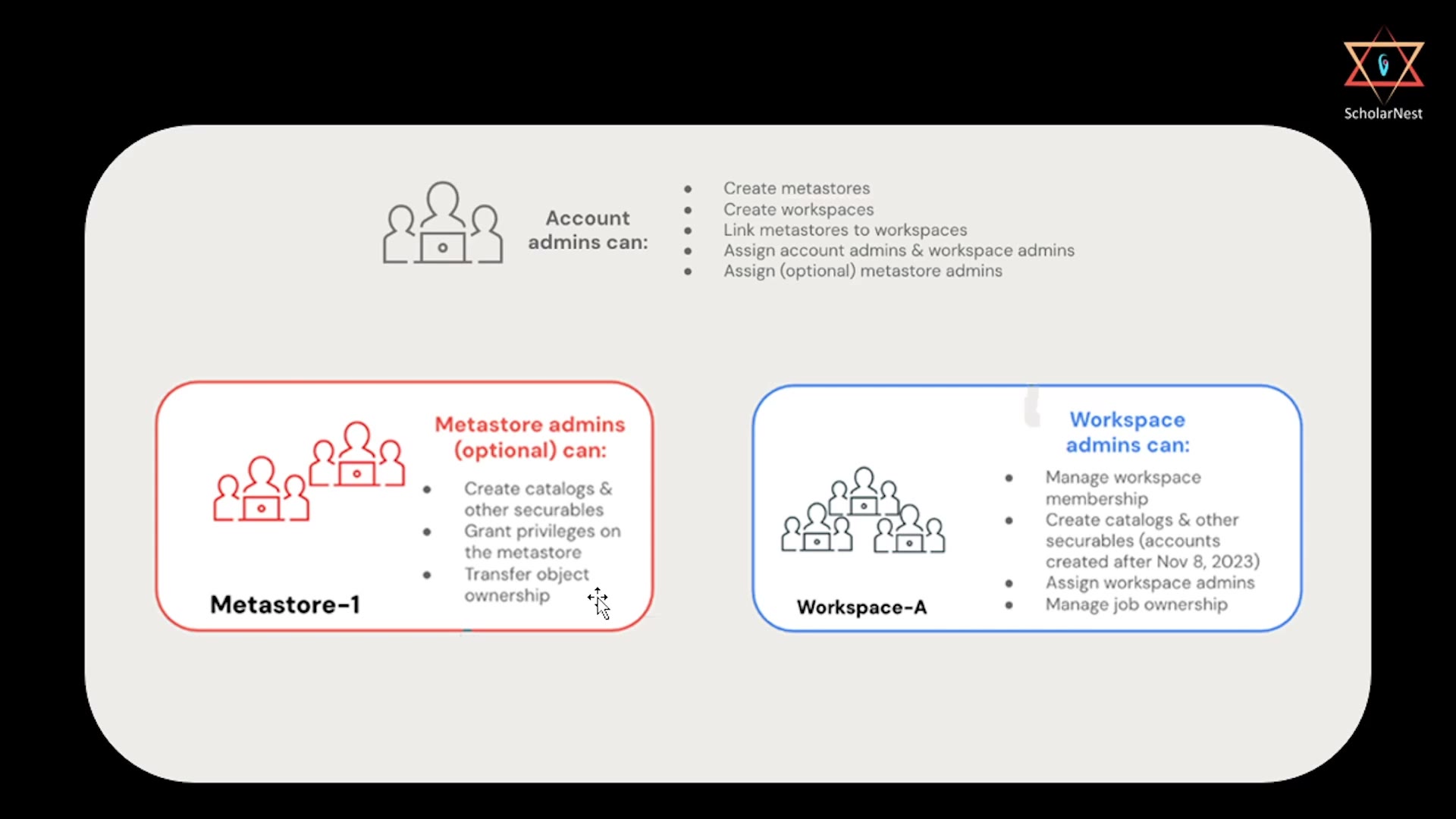 Admin roles and their responsibilities
Account Admins
Account admins operate at the very top of the hierarchy. They can:
- Create metastores.
- Create workspaces.
- Link metastores to workspaces.
- Assign account admins and workspace admins.
- Optionally assign metastore admins.
Metastore Admins (Optional)
This is an optional role — you don't have to assign one, but larger organizations often do, to delegate metastore-level responsibilities without handing out full account admin access. Metastore admins can:
- Create catalogs and other securables.
- Grant privileges on the metastore.
- Transfer object ownership.
Workspace Admins
Workspace admins operate within a specific workspace. They can:
- Manage workspace membership (who has access to this workspace).
- Create catalogs and other securables (for accounts created after November 8, 2023).
- Assign workspace admins.
- Manage job ownership.
Why This Layered Structure Matters
This structure exists specifically to let organizations delegate responsibility appropriately, without over-granting access. A large company doesn't want every workspace admin to also have the power to create or destroy metastores — that should stay with a small number of account admins. Conversely, account admins don't need to be involved in day-to-day workspace membership decisions — that's exactly what workspace admins are for. Each role gets just enough power to do its job, and no more.
Putting It Together
Here's the full picture, top to bottom:
- Account admins create metastores, create workspaces, and link the two together (as we did in an earlier lecture).
- Optionally, account admins delegate certain metastore-level responsibilities to metastore admins.
- Workspace admins manage day-to-day membership and catalog/securable creation within their own workspace.
- Within all of this, the actual identities being managed are always one of three types: users (humans), groups (collections of humans), or service principals (automation).
Understanding this layered model matters because it's exactly how you'll reason about "who can do what" as you start managing real teams and real production pipelines on Databricks — whether you're granting a data engineer access to a catalog, adding a whole team to a group, or setting up a service principal to run your nightly ETL job.
Summary
| Principal Type | What It Represents |
|---|---|
| User | A single human identity |
| Group | A collection of human identities, managed together |
| Service principal | A non-human identity for automated jobs/pipelines |
| Admin Role | Scope | Key Capabilities |
|---|---|---|
| Account Admin | Whole Databricks account | Create metastores, create workspaces, link them, assign other admins |
| Metastore Admin (optional) | A specific metastore | Create catalogs/securables, grant metastore privileges, transfer ownership |
| Workspace Admin | A specific workspace | Manage workspace membership, create catalogs/securables, manage job ownership |
See you again. Keep learning, and keep growing!