Topics, Partitions & Offsets
So far, you've learned to use Kafka — producers, brokers, consumers, topics, and the command-line tools that let you create and test all of it yourself. That's enough to get real work done. But there's a layer underneath all of that which we've deliberately left alone until now: how Kafka actually works, on the inside.
In this chapter, we're going to open that up. By the end, you'll understand:
- Topics, partitions, and offsets — how a topic's data is actually organized and kept in order (this lecture)
- Brokers, clusters, and the controller — how multiple brokers agree on a single, shared view of the cluster, and what happens when that coordination fails
- Replication, leaders, and followers — how Kafka keeps your data safe even when a machine dies
- Log segments, retention, and compaction — what actually happens to all this data sitting on disk, over months and years
And you won't just read about any of it. Along the way, you'll create real topics, inspect real files on disk, and even kill a real broker mid-write, on your own cluster, to watch Kafka recover, live.
Here's why this matters, honestly: you could learn to write a Kafka producer or consumer without any of this, and the code would run just fine. But the moment something goes wrong in production — a broker crashes, a consumer falls behind, a topic runs out of disk space — you need to know why Kafka behaves the way it does, not just which method to call. This chapter is what turns "I can write Kafka code" into "I understand the system I'm building on." It's also, honestly, exactly what real interviews and real production incidents tend to test you on.
Let's start with the most fundamental question of all: when data goes into Kafka, where does it actually go?
Let's build this concept the way it actually came to exist — as a solution to a real problem, one step at a time. And by the end of this lecture, you won't just understand it — you'll have built it yourself, on your own cluster.
Step 1: We Need Somewhere to Put Payment Events
Imagine you work at a company that processes online payments. Every time a customer pays for something, that's an event worth capturing — your fraud detection system needs it instantly, your data warehouse needs it eventually, your analytics dashboard wants to show it live.
From Chapter 2, you already know the answer to "how do all these systems get this data without wiring themselves directly to each other" — Kafka sits in the middle. So the natural first step is: create a place in Kafka for payment events to live. We'll call it what it is — a topic named payments.
At small scale, this is simple. A handful of payment servers send events to Kafka, one broker stores them, and everyone who needs payment data reads from there.
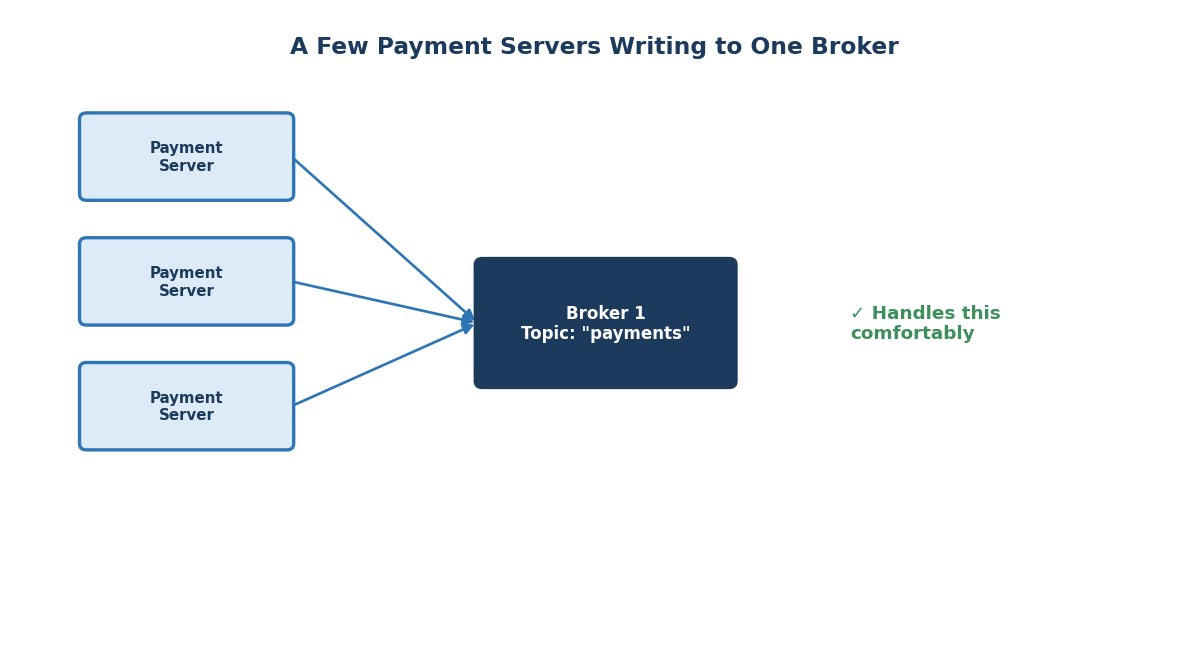 A few payment servers writing to one broker
Nothing complicated yet. One broker handles this without breaking a sweat.
Step 2: Now Scale It Up — And Watch It Break
Your company grows. Instead of a handful of payment servers, you now have thousands of them, all over the world, all sending payment events, all the time.
They're all still writing to that same one broker.
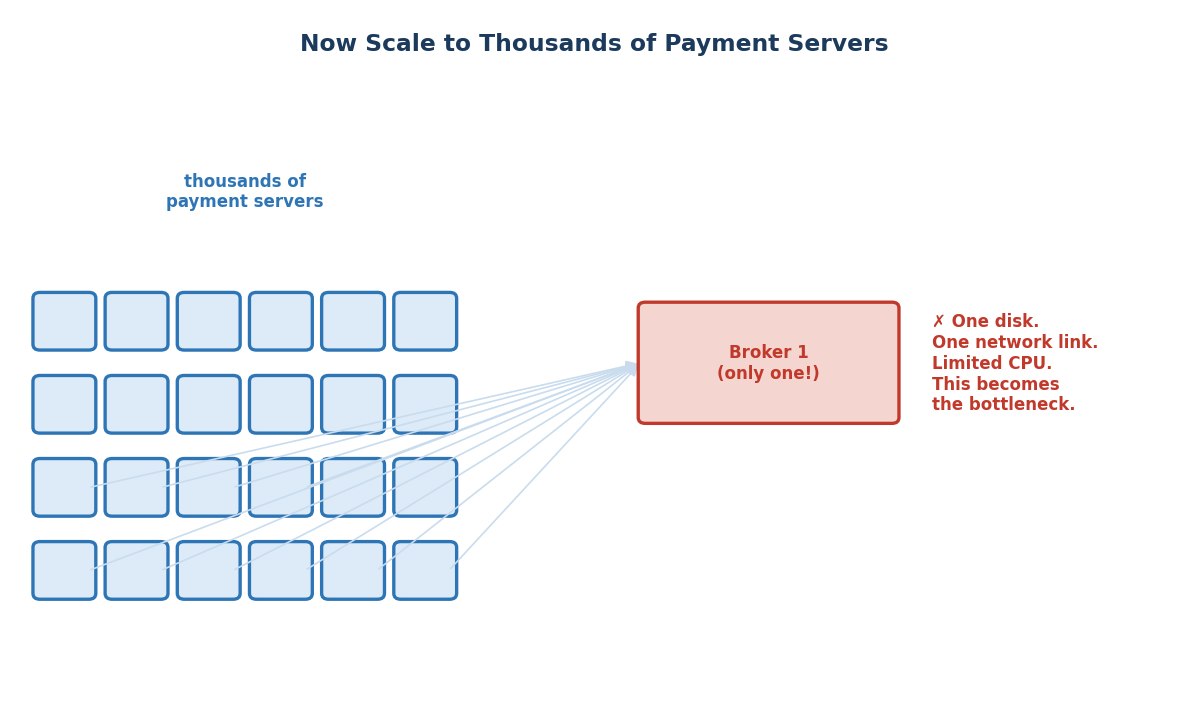 Thousands of producers overwhelming one broker
Here's the problem, plainly: that one broker has one disk, one network connection, and a limited amount of CPU. It doesn't matter how good the machine is — there's a ceiling on how many writes per second a single machine can absorb. At small scale you'll never notice it. At thousands of payment servers writing simultaneously, you will absolutely hit that ceiling, and writes will start queuing up or failing.
This is a genuine bottleneck, and adding a more powerful machine only delays the problem — it doesn't remove it.
Step 3: The Fix — Spread the Topic Across Multiple Brokers
The fix is straightforward in concept: don't rely on one broker. Use several.
But here's the detail that actually matters: simply adding more brokers to your cluster doesn't automatically help payments. If all the data for payments is still being written to just one of those brokers, the other two are sitting idle — you haven't solved anything.
What you actually need is to split the topic itself into pieces, and give each broker its own piece to own and handle. Each of these pieces is a partition. payments doesn't live on one broker anymore — it's split into, say, 3 partitions, with each broker responsible for one.
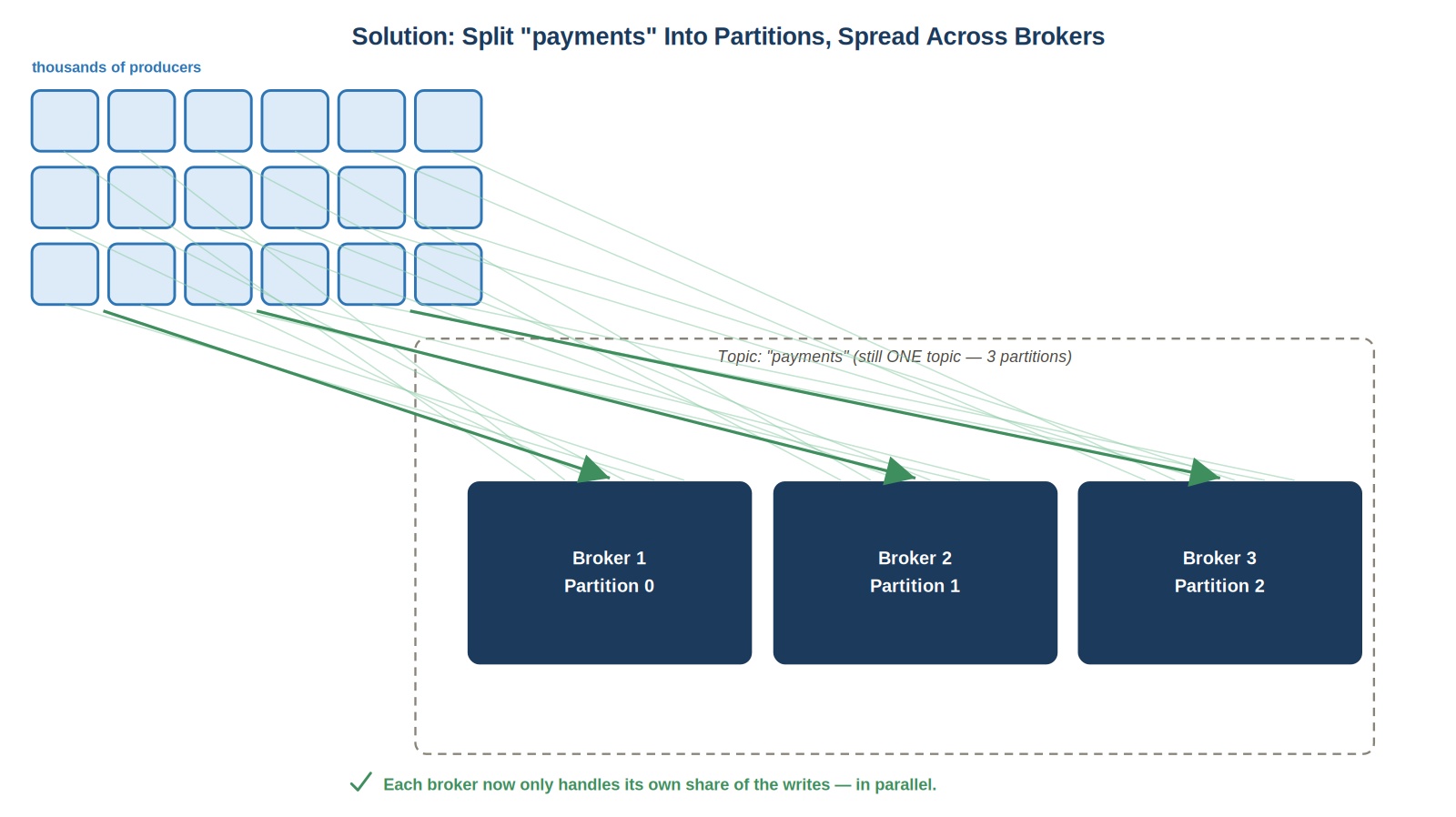 Partitions split across brokers, still one topic
Notice the dashed box in that picture. That's important: it's still one topic called payments. Nothing about its name or identity changed. What changed is that its data is now spread across three independent brokers, each handling its own slice of the write load, in parallel. Three disks, three network links, three times the write capacity — roughly speaking.
This is exactly the reasoning behind the --partitions 3 flag you'll use in a few minutes, when you create this topic yourself. You're not just following a command — you already know exactly what problem it solves.
Step 4: Now Each Partition Needs Its Own Sense of Order
Splitting the topic like this creates a new, smaller question: within a single partition, how do we know the order things arrived in? And how does a consumer keep track of what it's already read?
This is exactly what an offset is for. Every message inside a partition gets a number, assigned in the exact order it arrived — 0, then 1, then 2, climbing forever as new messages append to the end.
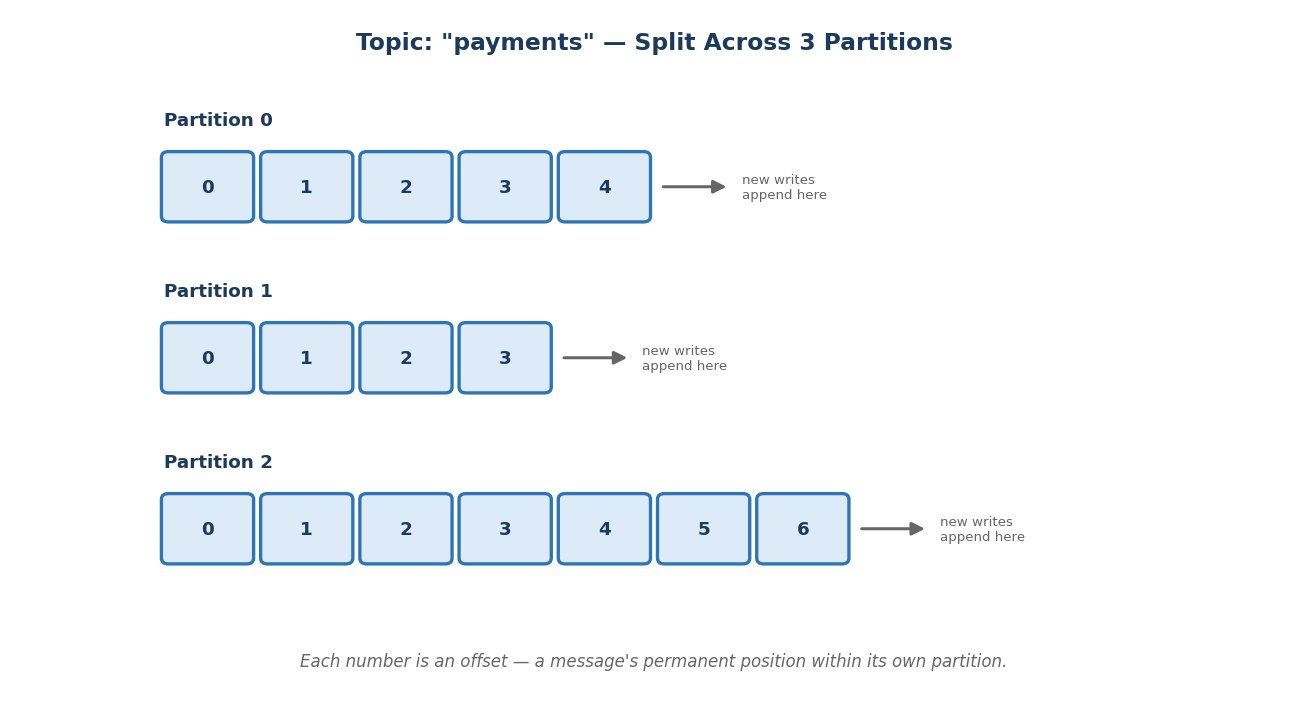 Offsets within each partition
Look closely: offsets are only unique within their own partition. Partition 0 has its own offset 0. Partition 1 has a completely different message at its own offset 0. Each partition counts independently — there's no single global counter across the whole topic.
This is exactly why running kafka-topics.sh --describe on any topic shows a separate line for each partition, each with its own leader and its own replicas — you're about to see exactly this, on your own screen, in a few minutes.
Why Offsets Matter So Much
An offset isn't just a label — it's how a consumer tracks its own progress. If a consumer reads up to offset 4 in Partition 0 and then shuts down, it can come back later, remember "I was at offset 4," and resume from offset 5 — without missing anything, and without re-reading what it already processed.
Putting the Story Together
So here's the full arc, in one line: a growing write load broke a single broker, so the topic was split into partitions spread across multiple brokers — and offsets exist to keep each partition's messages in a reliable, trackable order.
That's the reasoning, not just the definitions. Let's go make it real.
Hands-On: Creating payments for Real
Everything so far has been a picture. Let's turn it into an actual topic, on your actual cluster.
Start your cluster.
bashdocker compose start docker ps
Confirm all three brokers — kafka-1, kafka-2, kafka-3 — show Up.
Open a terminal inside kafka-1:
bashdocker exec -it kafka-1 bash export PATH=$PATH:/opt/kafka/bin
Create payments, exactly as the story just described — 3 partitions, spread across your 3 brokers:
bashkafka-topics.sh --create \ --topic payments \ --bootstrap-server kafka-1:29092 \ --partitions 3 \ --replication-factor 3
Now look at what you just built:
bashkafka-topics.sh --describe --topic payments --bootstrap-server kafka-1:29092
You'll see three separate lines — one per partition, each with its own leader and its own replicas. This is not a diagram anymore. This is your cluster, genuinely holding payments as three independent pieces, exactly like the picture from Step 3.
Send a few messages:
bashkafka-console-producer.sh --topic payments --bootstrap-server kafka-1:29092
Type a few lines, pressing Enter after each:
payment-001
payment-002
payment-003
Press Ctrl+C to exit.
Now read them back — with their offsets visible:
bashkafka-console-consumer.sh \ --topic payments \ --bootstrap-server kafka-1:29092 \ --from-beginning \ --property print.offset=true
Look closely at the output. Each message prints with its own offset — 0, 1, 2 — climbing exactly the way Step 4 described. If you sent your three messages, some may have landed in different partitions, so don't be surprised if the offsets you see aren't in a single neat 0-1-2 line — that's expected. Each partition is still counting entirely on its own.
Press Ctrl+C to stop.
Stop your cluster when you're done:
bashdocker compose stop
Quick Recap
- A topic is a named place for one kind of event — like
payments. - One broker eventually can't keep up with enough write volume — a real, physical bottleneck, not a hypothetical one.
- A partition splits a topic's data across multiple brokers, so writes happen in parallel. The topic's name and identity don't change — only how its data is distributed.
- An offset is a message's permanent position within its own partition — counted independently, partition by partition.
- You created
paymentsyourself, with 3 partitions across 3 brokers, and watched real offsets climb as you produced and consumed real messages.