What is Lakeflow Jobs — and Where it Fits
Across the last two chapters, we covered two of Lakeflow's three pillars: Lakeflow Connect (ingestion) and Spark Declarative Pipelines (transformation). This chapter covers the third and final pillar — orchestration — known as Lakeflow Jobs.
Why Orchestration Exists
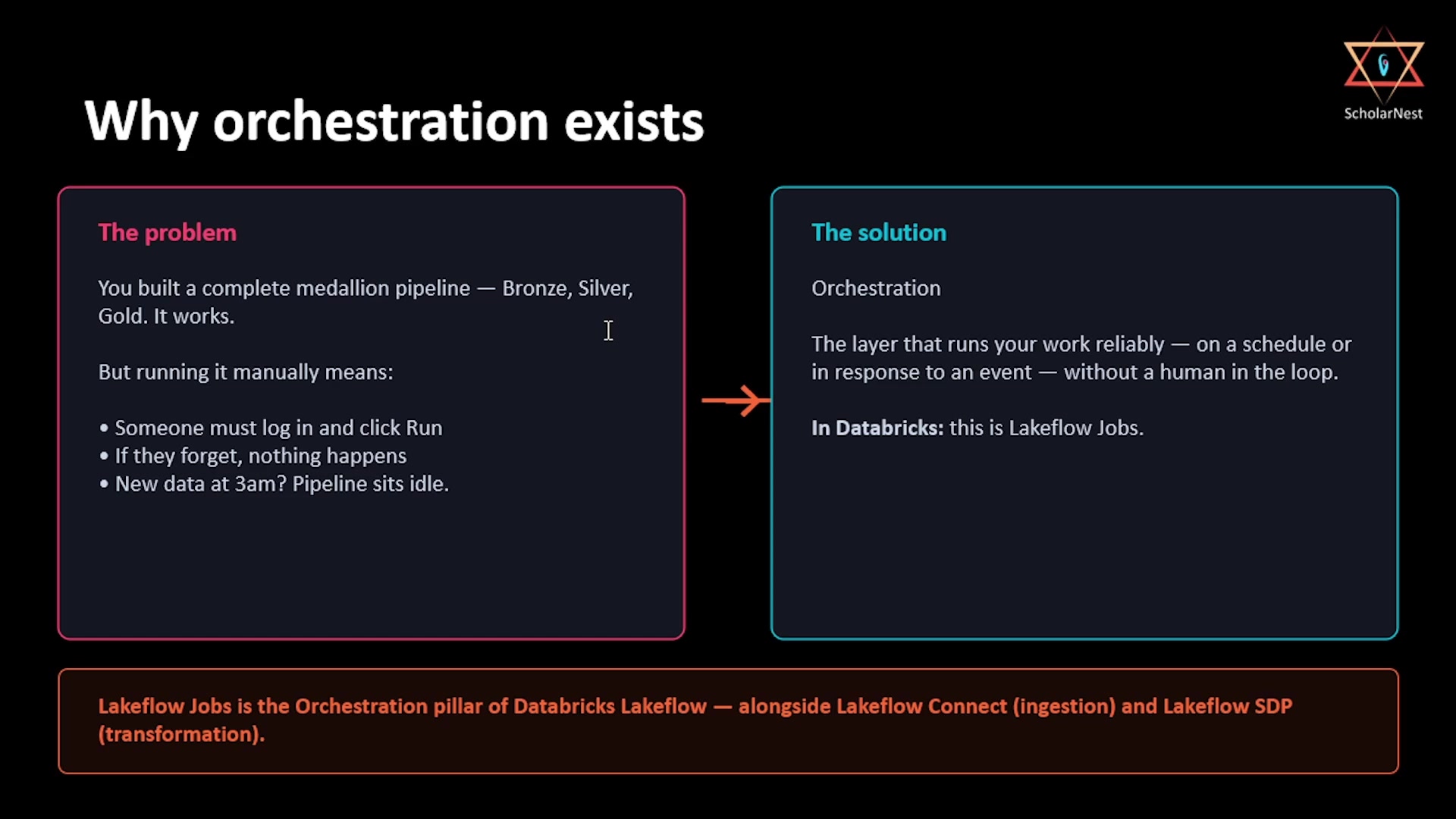
We already built a complete medallion pipeline with SDP: bronze, silver, gold, streaming tables, AUTO CDC, materialized views. It works — you can run it manually from the pipeline editor and watch the DAG execute. But think about what "manually" actually means in production.
 Why orchestration exists — the problem and the solution
Someone has to log in and click Run. If they forget — or they're on holiday, or new data lands at 3 a.m. — nothing happens. The pipeline just sits idle. That's precisely the gap orchestration fills: it's the layer that runs your work reliably, on a schedule or in response to an event, with no human in the loop. In Databricks, that layer is Lakeflow Jobs — sitting alongside Lakeflow Connect (ingestion) and Lakeflow SDP (transformation) as the third pillar of the platform.
Three Core Concepts
Before building anything, three terms need to be completely clear, since the rest of the chapter builds on them directly:
 Three core concepts — Job, Task, Trigger
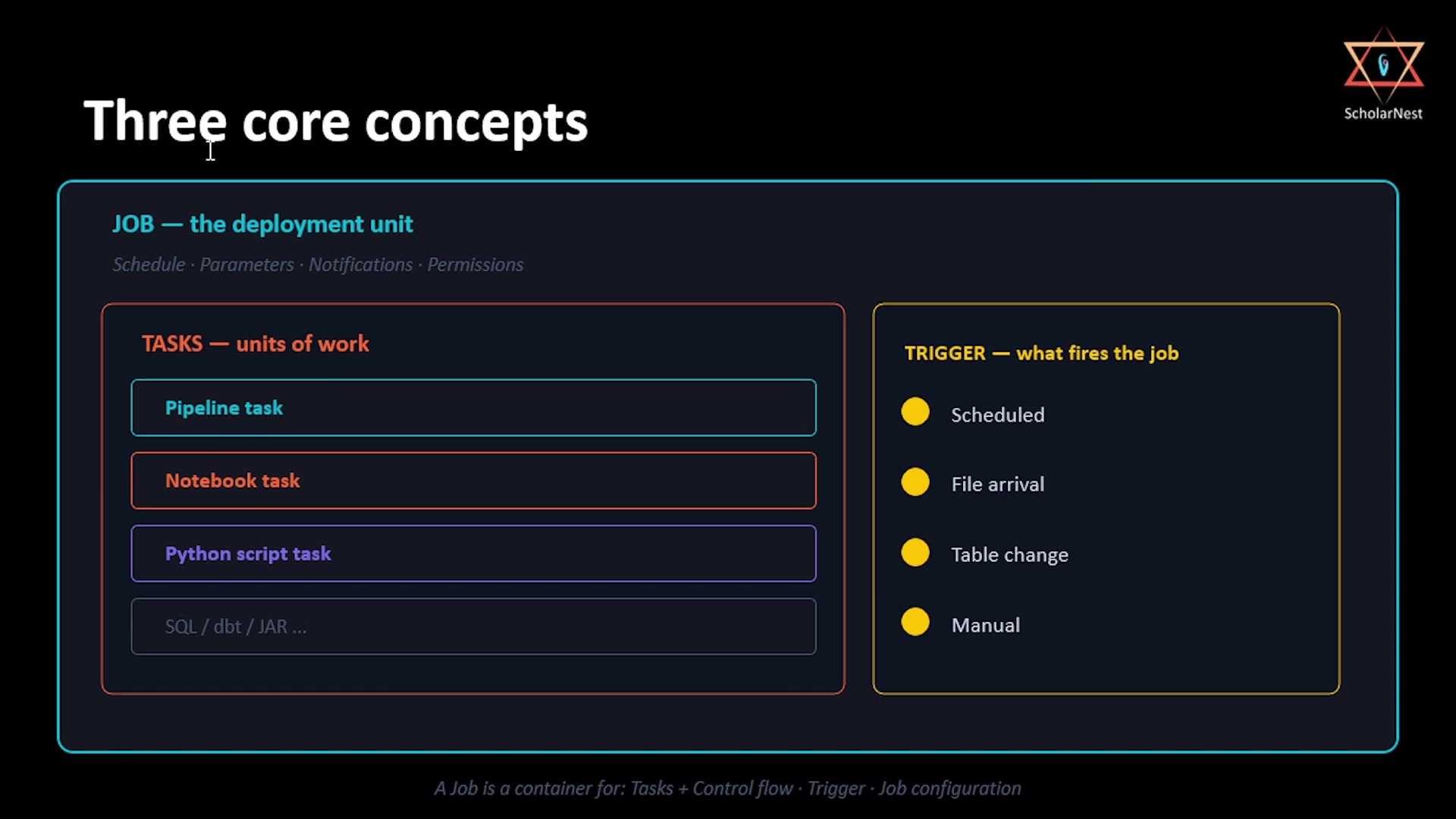
- Job — the top-level container, and the deployment unit. Everything lives inside a job: it owns the schedule, parameters, notifications, and permissions. Think of a job as what you hand over to an operations team once development is done.
- Task — a unit of work inside a job. A job can hold one task, or tens, or sometimes hundreds. Each task does one specific thing — runs a notebook, triggers a pipeline, executes a Python script. Tasks can depend on each other: task B won't start until task A succeeds.
- Trigger — what initiates the job in the first place.
Put simply: a job is a container for tasks (plus their dependencies/control flow), a trigger to start it, and configuration like parameters and permissions.
Task Types: What Actually Matters
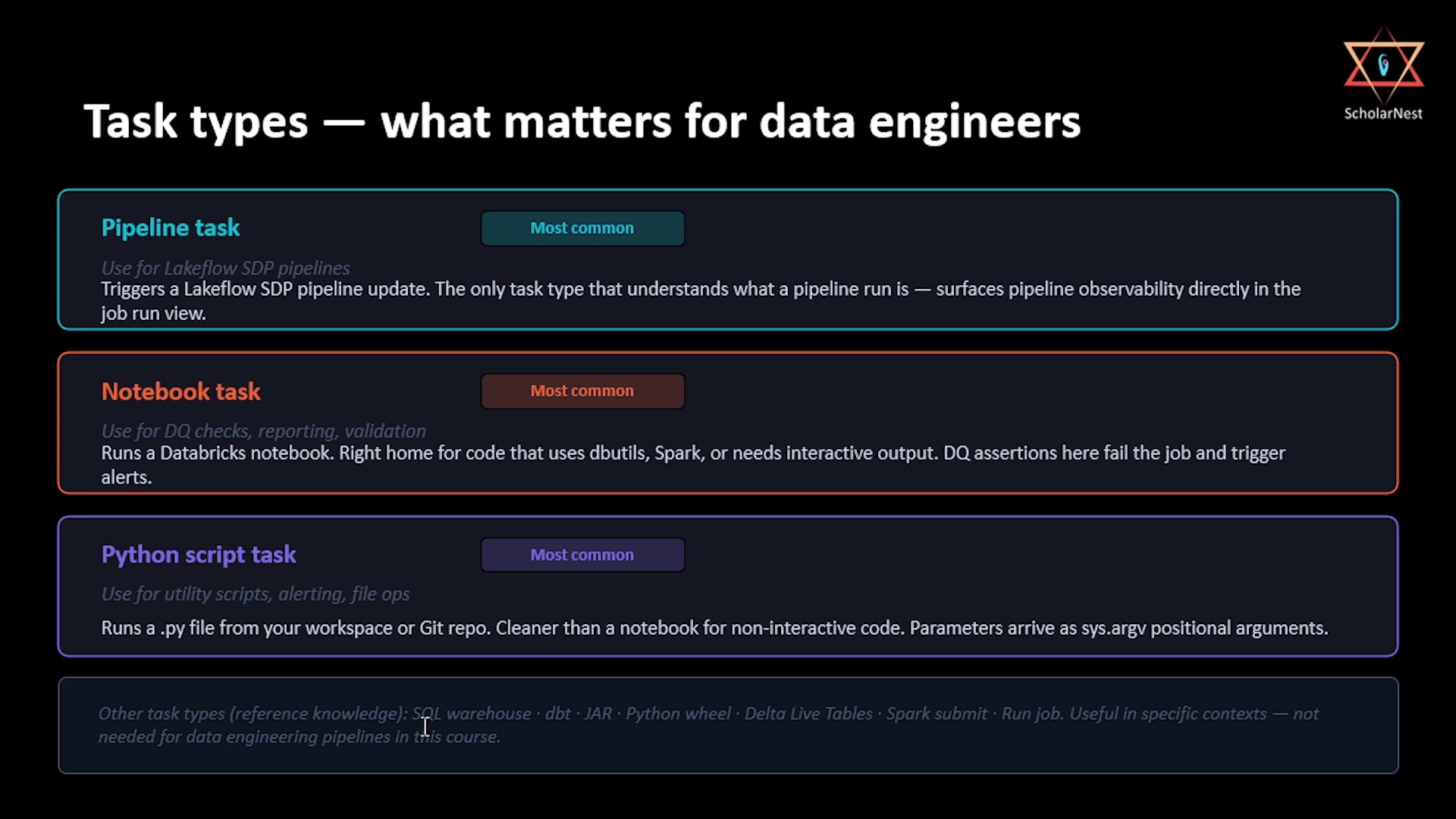
Lakeflow Jobs supports a long list of task types — notebook, Python script, pipeline, SQL, dbt, JAR, Python wheel, and more. This breadth is exactly where a lot of engineers get overwhelmed. In practice, for data engineering work, three task types cover the vast majority of real production use:
 Task types — what matters for data engineers
- Pipeline task — the most common task type, and how you operationalize the medallion pipeline built in the previous chapter. It's the only task type that actually understands what a pipeline run is, which means pipeline observability surfaces directly inside the job run view rather than needing to be checked separately.
- Notebook task — runs a Databricks notebook. This is the right home for data quality checks,
reporting code, or ad hoc validation logic — anything that uses
dbutils, Spark, or needs interactive output. A DQ assertion that fails inside a notebook task fails the job and can trigger alerts. - Python script task — runs a
.pyfile from your workspace or Git repository. This is cleaner than a notebook for non-interactive code: utility scripts, alerting logic, file operations, or post-processing steps that don't belong in a notebook. Parameters arrive assys.argvpositional arguments, rather than notebook widgets.
The rest — SQL warehouse tasks, dbt tasks, JAR tasks, Python wheel tasks, and others — are useful in specific contexts, but they're reference knowledge for this course rather than something you'll reach for in most data engineering projects.
Trigger Types: What Fires the Job
 Trigger types — what fires the job
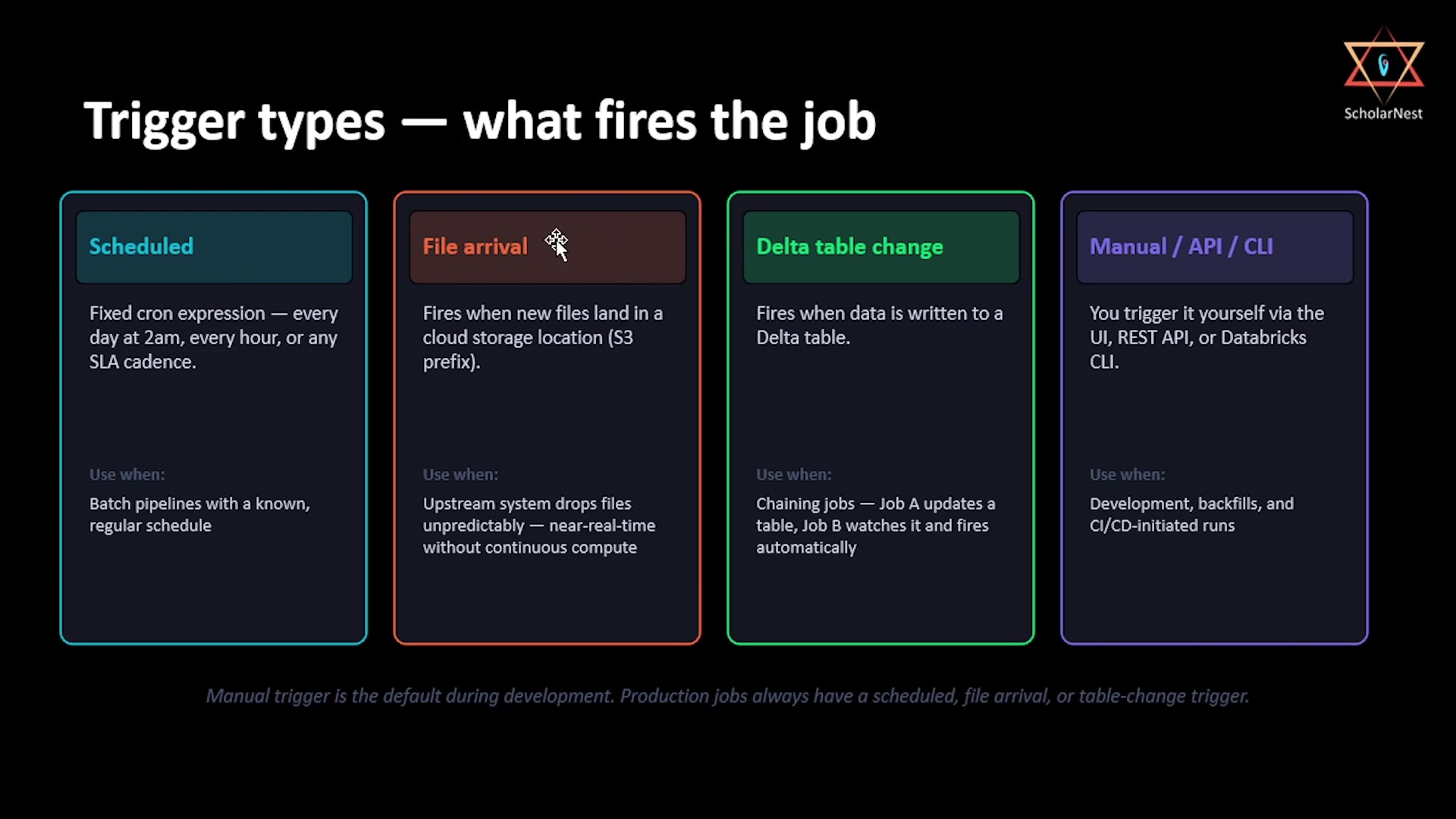
- Scheduled — a fixed cron expression: every day at 2 a.m., every hour, whatever your SLA requires. This is the most common pattern for batch pipelines with a known, regular cadence.
- File arrival — fires when a new file lands in a cloud storage location (an S3 prefix, for example). Useful when an upstream system drops files unpredictably and you want near-real-time processing without standing up dedicated continuous compute.
- Delta table change — fires when data is written to a Delta table. This is how you chain jobs together: Job A updates a table, Job B watches that table and fires automatically once it changes.
- Manual / API / CLI — you trigger it yourself, through the UI, REST API, or the Databricks CLI. This is the default during development, backfills, and CI/CD-initiated runs — but production jobs should always be on a scheduled, file-arrival, or table-change trigger instead.
The Production Rule
Here's the mental model worth carrying forward for the rest of this chapter:
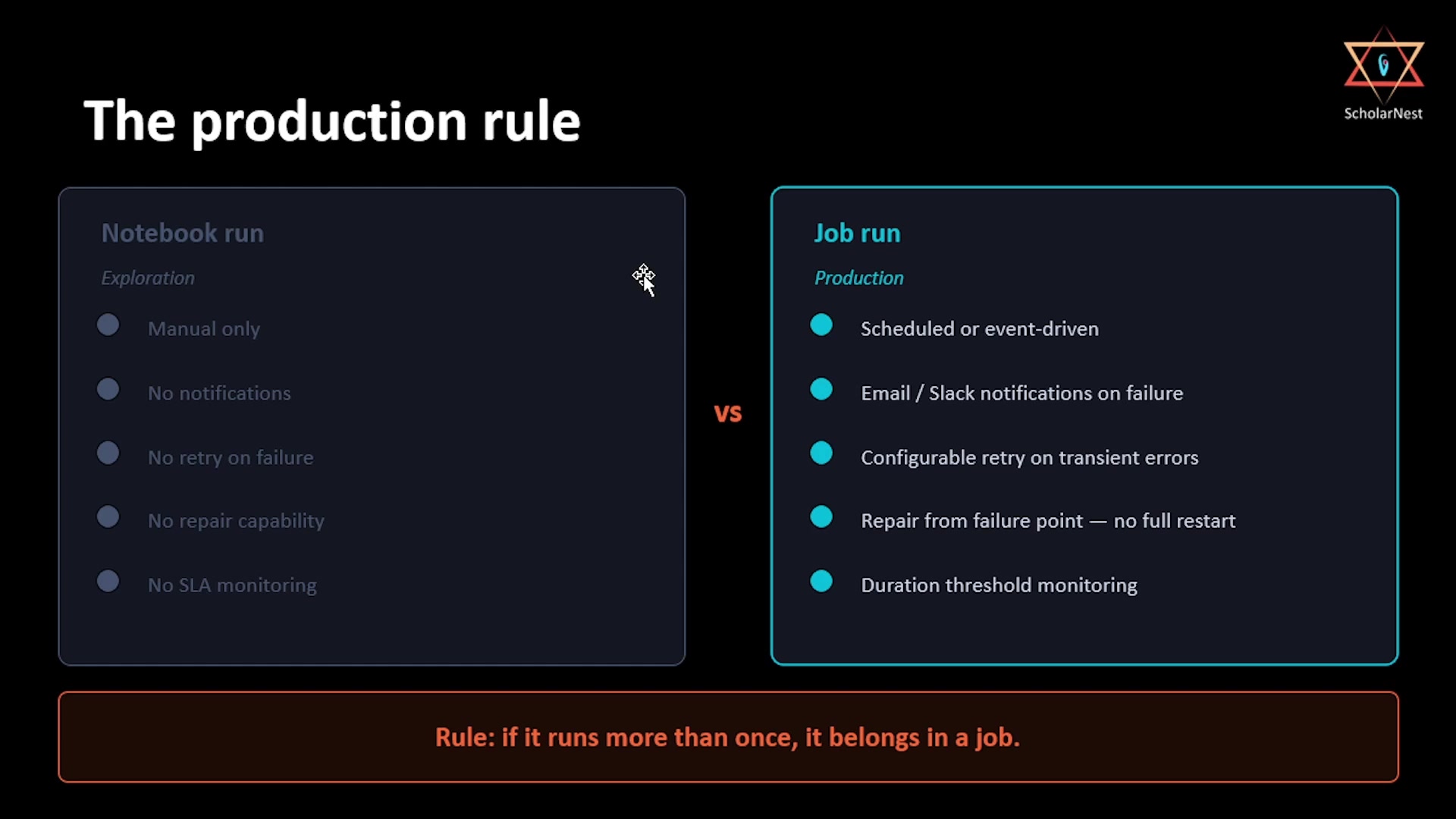 The production rule — notebook run vs. job run
A notebook run in your workspace is exploration. A job run is a production deployment. The difference isn't the code — it's the contract. A job run is repeatable, observable, alertable, and repairable:
- If it fails, you're notified (email or Slack).
- If it fails partway through, you can repair it from the failure point, without rerunning tasks that already succeeded.
- If it runs too slowly, you find out before an SLA actually breaks, via duration threshold monitoring.
None of that exists when a notebook is run manually — no notifications, no retry on failure, no repair capability, no SLA monitoring at all.
The rule this leads to is simple: if something runs more than once, it belongs in a job.
Summary
| Concept | Key point |
|---|---|
| Why orchestration exists | Manual pipeline runs depend on a human remembering to click Run — orchestration removes that dependency entirely |
| Job | Top-level container; owns schedule, parameters, notifications, permissions — the deployment unit |
| Task | A unit of work inside a job; can depend on other tasks |
| Trigger | What starts the job |
| Pipeline task | Most common; the only task type with native pipeline observability |
| Notebook task | For DQ checks, reporting, validation — anything needing dbutils/Spark/interactive output |
| Python script task | For utility scripts, alerting, file ops; parameters via sys.argv |
| Scheduled trigger | Fixed cron; the standard for batch pipelines |
| File arrival trigger | Fires on new files landing in cloud storage |
| Delta table change trigger | Chains jobs together — one job's output triggers another |
| Manual/API/CLI trigger | Development and backfills only, not production |
| The production rule | If it runs more than once, it belongs in a job — job runs are repeatable, observable, alertable, and repairable; notebook runs are none of those |
In the next lecture, we start building: taking the medallion pipeline from the previous chapter and turning it into a scheduled, parameterized, repair-capable, API-triggerable production job.
See you again. Keep learning, and keep growing!