What is Lakeflow SDP — Why it Replaces Manual Pipelines
In the previous chapter, we covered the ingest pillar of Lakeflow, also known as Lakeflow Connect. Lakeflow actually has three pillars in total: ingest, transform, and orchestrate. This chapter is about the second one — transform — and the capability behind it is called Spark Declarative Pipelines, or SDP.
Before we touch any code, this lecture answers the question that matters most: why does this framework need to exist at all, when you already know how to write Spark code?
Why SDP Exists
You already know how to read a Delta table, apply transformations, and write results. You know Structured Streaming — read from a source, apply logic, write to a target, wire it into a job. So why does Databricks need a whole new framework on top of that?
The answer isn't about what you can do in Spark. It's about what you have to manage yourself when you do it manually — and how much of that management is the exact same boilerplate problem every data engineering team ends up solving independently, over and over again.
Think about a typical three-layer medallion pipeline: bronze ingests raw files, silver cleans and deduplicates, gold aggregates for reporting. Writing the transformation logic itself might be 200 lines of Spark code. But then you still have to:
- Figure out execution order, so silver doesn't run before bronze finishes.
- Handle incremental processing, so you're not reprocessing all of history on every run.
- Write retry logic for transient failures.
- Add data quality checks, and decide what happens when they fail.
- Handle CDC events in the right sequence.
- Wire all of it into a job with the correct dependencies.
By the time you're done, your 200 lines of actual transformation logic are sitting inside roughly 800 lines of orchestration and infrastructure code:
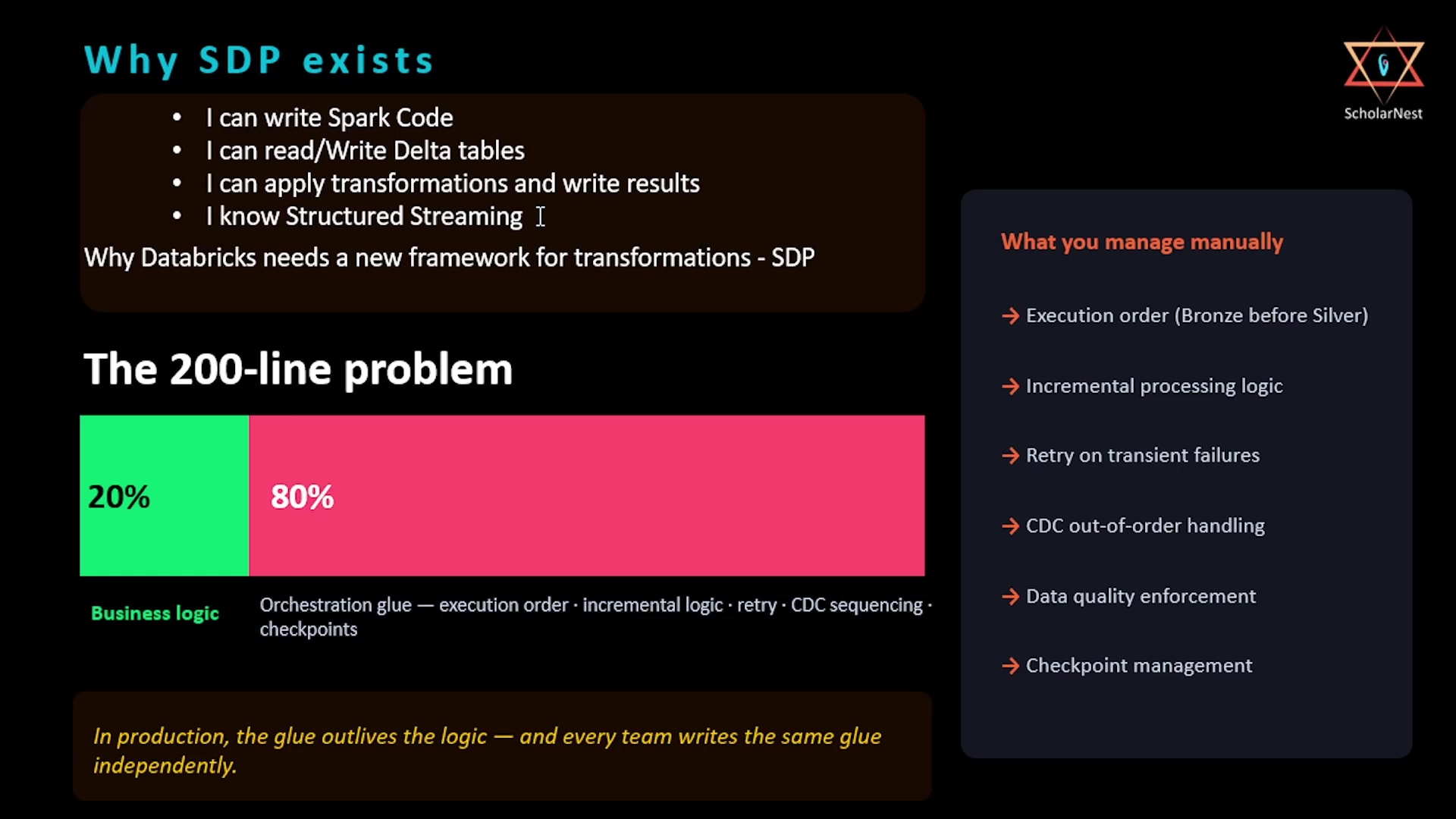 The 200-line problem — business logic vs orchestration glue
That 800 lines isn't your business logic. It's glue — the same glue every team writes, independently, from scratch. As the slide puts it: in production, the glue outlives the logic. That's the exact problem SDP is designed to solve.
Where SDP Came From
The naming here matters, because you'll see older terminology in docs and in customer codebases:
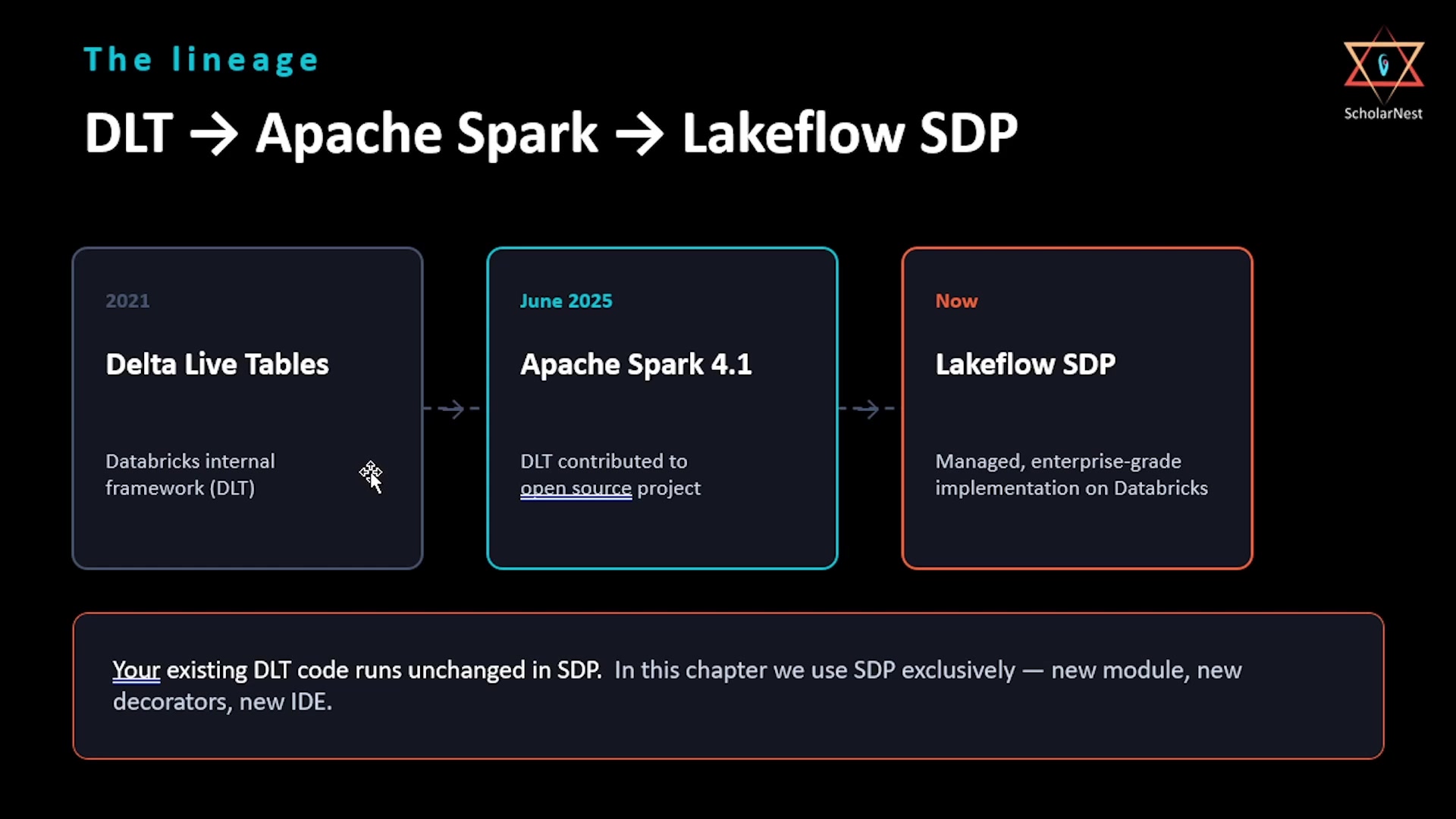 The lineage — DLT to Apache Spark to Lakeflow SDP
- 2021 — Delta Live Tables (DLT). Databricks originally built this as an internal framework. If you've worked with Databricks for a few years, this is the name you know.
- June 2025 — Apache Spark 4.1. Databricks contributed the core engine to the open source Apache Spark project as the Apache Spark Declarative Pipeline. This was a big deal — it means the declarative pipeline model is now part of the Spark standard itself, not just a Databricks-only feature.
- Now — Lakeflow SDP. On Databricks, the managed, production-grade implementation of this framework is called Lakeflow Spark Declarative Pipelines, or simply SDP. It extends the open source core with capabilities specific to the managed environment: Auto CDC, Unity Catalog integration, the pipeline editor, serverless compute, and enterprise-grade monitoring.
If you see DLT referenced anywhere — old documentation, an existing customer codebase — it's the same engine, and existing DLT code runs unchanged in SDP. But going forward, in this chapter we'll use SDP exclusively: the new module, the new decorators, the new IDE. We won't touch the old DLT syntax at all.
The Mental Model Shift: Declarative vs. Imperative
This is the core idea to internalize before writing any SDP code.
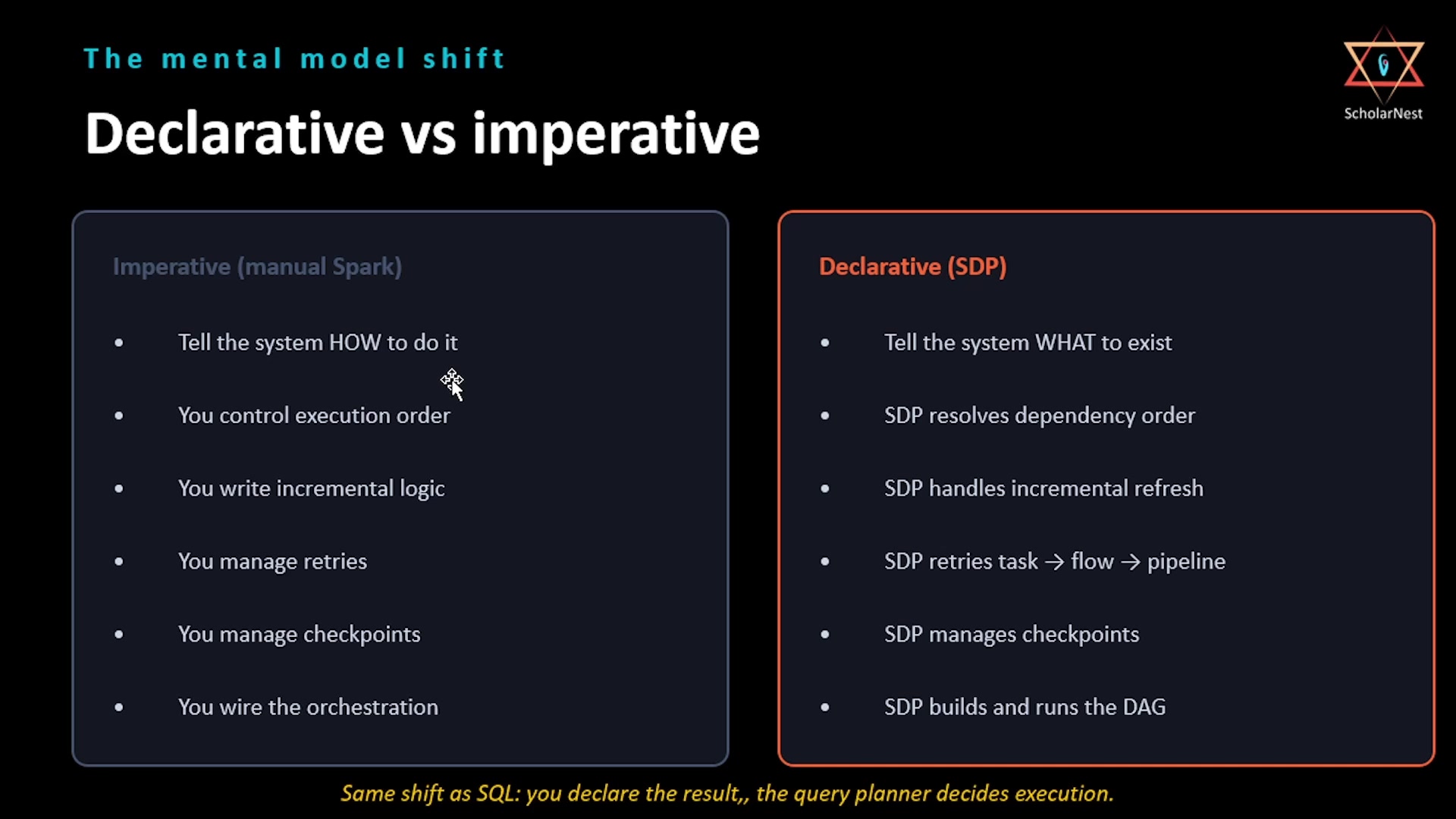 Declarative vs imperative — the mental model shift
Imperative code — plain Spark — tells the system how to do something, step by step: read the source, filter these rows, join this table, write to this path, handle the checkpoint, retry if it fails. You're in charge of the entire execution plan.
Declarative code tells the system what you want to exist. For example: "I want a table called
silver_orders that contains the cleaned, deduplicated version of bronze_orders." Or: "I want a
table called gold_daily_revenue that aggregates silver by day and customer tier." How those tables
get created, in what order, how they're refreshed incrementally, and how failures get retried — SDP
figures that out.
The clearest analogy is SQL itself. When you write a SQL query, you don't tell the database engine which index to use, what order to join tables in, or how to parallelize execution. You declare the result you want, and the query planner decides the execution strategy. SDP does the same thing, but for an entire pipeline — it reads your whole pipeline definition, does the planning, and figures out execution order and strategy on its own.
Standalone Pipelines vs. Lakeflow SDP
One distinction trips people up constantly, so it's worth being precise about it upfront.
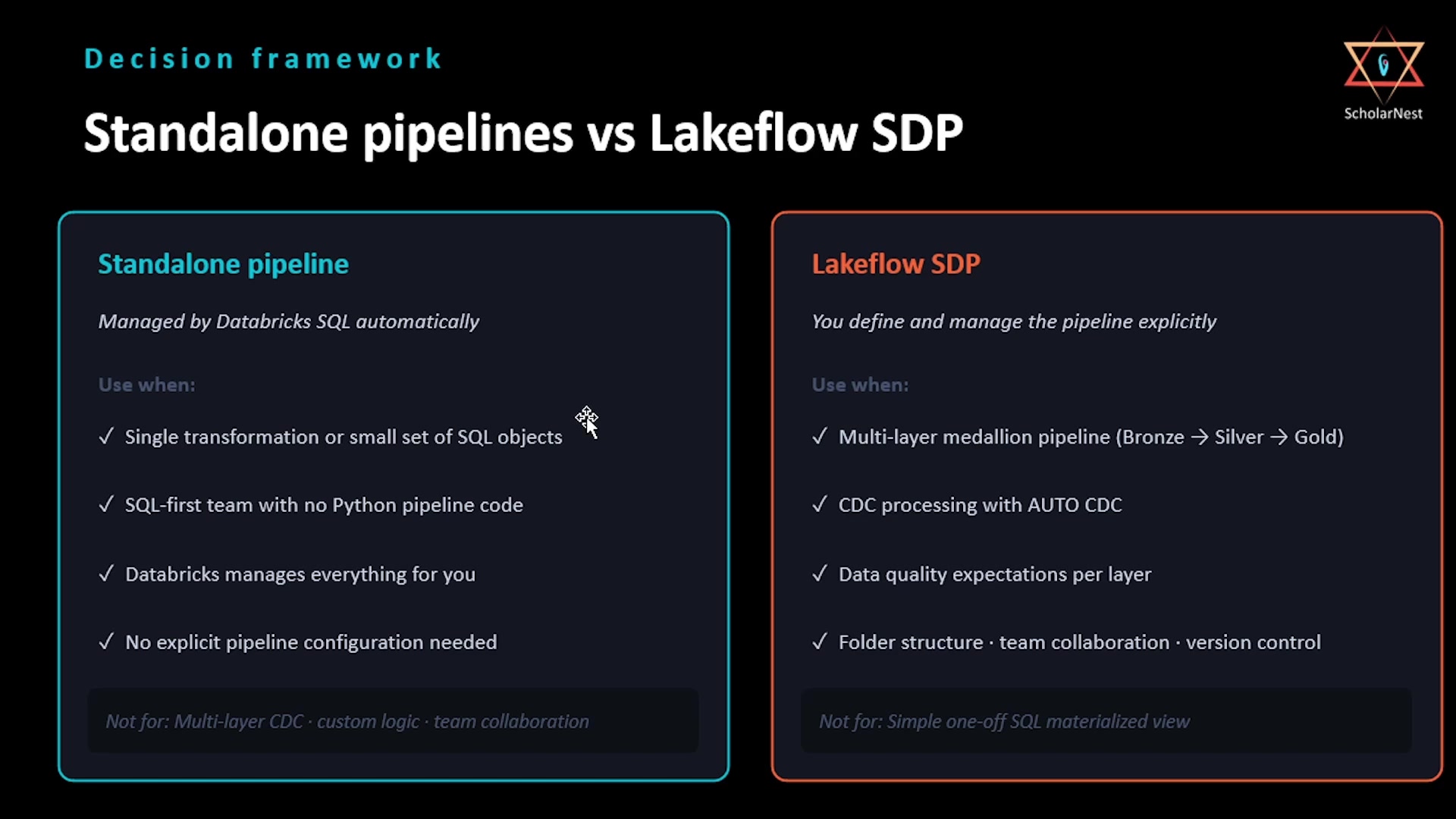 Standalone pipelines vs Lakeflow SDP — decision framework
Standalone pipelines are a feature of Databricks SQL. You can create streaming tables and
materialized views directly with a plain CREATE statement, without building an SDP pipeline at
all. Databricks manages the underlying pipeline automatically — you don't see it, and you don't
configure it. This is a great fit for a data analyst who wants a materialized view that refreshes
daily, or a SQL-first team that needs a streaming table from a Kafka topic without writing any
Python.
Lakeflow SDP — what the rest of this chapter is about — is when you define and manage the pipeline explicitly. You control the source files, the folder structure, the compute, the scheduling, the expectations, and the CDC logic yourself. In exchange, you get the full development environment: the pipeline editor, selective execution, and the DAG graph. This is the production engineering side of the framework.
The decision framework is straightforward: if your use case is a single transformation or a small set of SQL-defined objects that Databricks can manage automatically, standalone is the right tool. If you're building a multi-tier pipeline with CDC, data quality enforcement, custom transformation logic, and team collaboration, you want Lakeflow SDP.
Everything from the next lecture onward in this chapter is Lakeflow SDP: we build it explicitly, we own the code and the folder structure, and we run it through the pipeline editor.
Summary
| Concept | Key point |
|---|---|
| Why SDP exists | Manual Spark pipelines bury ~200 lines of business logic inside ~800 lines of orchestration glue — execution order, incremental logic, retries, CDC sequencing, checkpoints |
| Lineage | DLT (2021, internal) → Apache Spark Declarative Pipeline (Spark 4.1, June 2025, open source) → Lakeflow SDP (now, managed production implementation) |
| DLT compatibility | Existing DLT code runs unchanged in SDP; this chapter uses SDP's new module/decorators/IDE exclusively |
| Declarative vs. imperative | Imperative = you specify how (execution order, retries, checkpoints). Declarative = you specify what (the tables you want); SDP figures out the how — same shift as writing SQL vs. hand-coding a query plan |
| Standalone pipeline | Databricks-managed automatically via plain SQL CREATE statements; best for single transformations or SQL-first teams |
| Lakeflow SDP | You define and manage explicitly; best for multi-layer medallion pipelines, CDC, data quality enforcement, and team collaboration |
Next lecture, we'll go deep on the core concepts of SDP itself — pipelines, flows, data targets — and the Python API you'll use to define all of it.
See you again. Keep learning, and keep growing!